
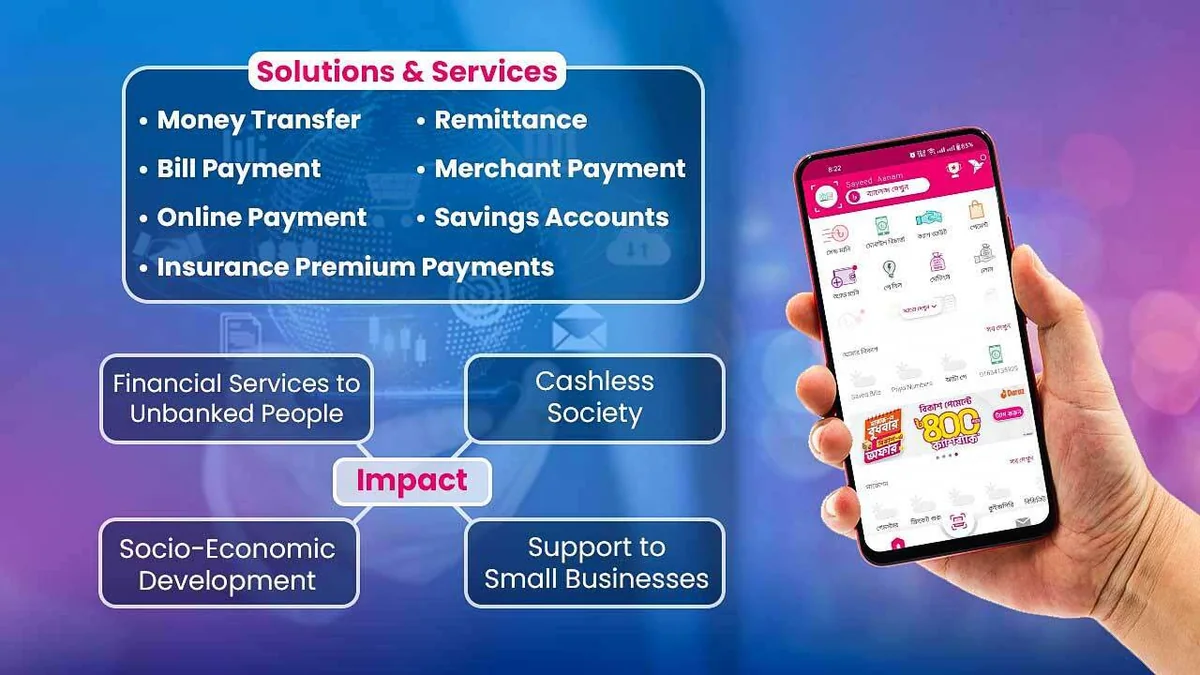
bKash powers roughly half of all retail gaming transactions across Dhaka, Chattogram, Rajshahi, and Sylhet because virtually every adult smartphone carries a verified bKash app or SIM USSD menu. Despite effortless familiarity, hurried users frequently stall deposits by ignoring subtle Cash Out versus Send Money gateway switches.
In this updated field walkthrough from our Bangladesh MFS Payments Hub, we document exact step-by-step instructions for both bKash App transfers and *247# USSD offline backups so every Taka credits cleanly on first submission.
bKash Deposit Channel Specifications & Observed Latency (2026)
| bKash Mode | Minimum Ticket | Max Per Txn | Avg Credit Latency | MFS Tariff Note | Best Use Case |
|---|---|---|---|---|---|
| bKash App (Cash Out) | BDT ৳100 | BDT ৳25,000 | 35 to 55 seconds | Standard app Cash Out tariff | Primary daily play & bonuses |
| bKash App (Send Money) | BDT ৳100 | BDT ৳25,000 | 30 to 45 seconds | Low/zero app P2P fee | Personal gateway promos |
| bKash Payment / Checkout | BDT ৳100 | BDT ৳30,000 | 15 to 30 seconds | 0% consumer fee | Automated OTP checkout flow |
| USSD *247# Fallback | BDT ৳100 | BDT ৳25,000 | 45 to 90 seconds | Identical to menu mode | Low-signal / crowded stadium |
Six-Step bKash App Deposit Sequence Without Gateway Errors
Follow these exact six screen actions cleanly while keeping both Chrome/APK and the bKash app open side by side in Android Recents.
- Log into your BDT-locked account (Portal Login Hygiene) and tap Cashier > Deposit > bKash.
- Enter an exact round deposit figure (e.g., ৳100, ৳500, or ৳2,000) and select whether you want a promotional bonus or pure cash.
- Copy the 11-digit recipient wallet number displayed on the payment screen and carefully verify the highlighted instruction tag (Cash Out vs Send Money vs Payment).
- Open your bKash App, choose the identical option (e.g., Cash Out if agent; Send Money if personal), paste the recipient number, enter the exact BDT amount, and confirm with your 5-digit PIN.
- On the green bKash confirmation receipt, tap and hold the ten-character TrxID string (e.g.,
BKL9X42M1P) to copy it to clipboard. - Switch straight back to the waiting deposit screen, paste the TrxID and sender bKash number if prompted, and press Submit Payment.
Why Cash Out vs Send Money Errors Freeze Automated Credits
bKash separates consumer Personal accounts from commercial Agent accounts strictly inside ledger metadata. Automated payment verification bots listen strictly for the transaction schema matching the cashier's generated wallet type.
Sending Personal-to-Personal Send Money to an Agent gateway wallet—or tapping Cash Out toward a Personal number—causes either immediate bKash app rejection or an orphaned credit needing manual agent reconciliation. Always double-check the header text above the displayed 01X digits.
Using *247# USSD When Mobile Data Stalls in Stadiums or Trains
During jam-packed Dhaka traffic or evening cricket stadiums where 4G packets drop intermittently, the bKash Android app occasionally hangs on loading spinners after PIN entry. Dialing *247# operates cleanly over standard voice signaling.
- Generate the GO456BD cashier order first while web tabs load cleanly, keeping the recipient 11-digit number written clearly.
- Dial
*247#from your registered +880 SIM and select Option 1 (Send Money) or Option 5 (Cash Out) matching the cashier screen. - Read your confirmation SMS carefully to transcribe uppercase letters and digits without confusing
O(letter O) and0(zero) orIand1. - Enter the verified string cleanly in the web confirmation form—never guess digits blindly.
Exact Amount Matching: Never Adjust BDT Figures Mid-Transfer
Gateway APIs frequently match incoming deposits within a short window by combining TrxID plus exact Taka amount. If you request a ৳1,000 cashier order on screen and decide inside the bKash app to send ৳1,200 instead, automated matching fails immediately.
Similarly, never round a deposit down by ৳15 to offset bKash Cash Out service fees—your mobile wallet handles MFS tariffs automatically outside the transferred principal.
What to Do Immediately If bKash Credits Delay Past Three Minutes
Most clean submissions balance inside 45 seconds. If your BDT wallet remains zero after three minutes, resist opening a second panic deposit—instead, capture your ten-digit TrxID receipt and inspect our TrxID Troubleshooting Playbook before messaging live support.
Preparing Your Wallet for Smooth Return Cashouts
The bKash number used for deposit automatically becomes your preferred primary withdrawal channel under AML matching compliance. Once you clear big rounds on Super Ace or BPL T20 matches, follow our bKash Withdrawal Guide to extract funds smoothly without triggering verification loops.
Comparing bKash Costs Against Nagad, Upay & Rocket
Frequent bettors executing multiple weekly transfers save substantial MFS charges by pairing low-fee personal gateways or secondary wallets. Check real Taka fee math across providers in our MFS Fee Matrix.
Related Bangladesh Verification Guides
Explore verified payment routes, sibling reviews, and safety audits from the GO456BD desk:
Field Summary & Next Steps
bKash remains Bangladesh's easiest funding gateway when three disciplines stick: always generate a live cashier ticket first, follow the exact Cash Out/Send Money prompt, and copy exact ten-digit TrxID codes cleanly.
Ready to withdraw profit back into mobile cash? Jump straight to our bKash Withdrawal Guide.
Responsible Gaming & 21+ Player Protection
Participation in real-money betting and casino games on GO456BD is restricted strictly to adults aged 21 years or older. Pre-commit your weekly BDT entertainment ceiling before loading bKash or Nagad funds, and treat session deposits as entertainment expenses rather than income.
Verified players can trigger account cool-off periods or full self-exclusion within 24 hours across mobile web and APK channels. Confidential international support is available free of charge via Gamblers Anonymous, Gambling Therapy, and BeGambleAware.
Frequently Asked Questions (PAA & AI Quick Answers)
What is the minimum bKash deposit supported on GO456BD?
Standard bKash deposits start at BDT ৳100 per transaction, with select promotional gateways opening micro-deposits down to BDT ৳50.
Why did the bKash cashier fail even though my TrxID was real?
Common causes include sending Cash Out vs Send Money on the wrong menu, changing the Taka amount after opening the ticket, or reusing a retired merchant number from an older session.
Can I deposit using a friend's bKash number if mine has zero balance?
No. Anti-fraud controls restrict payouts to wallets registered under your own NID. Cash-in to your personal bKash app first, then deposit from your own registered SIM.
How long should I wait before contacting support for a missing bKash deposit?
Wait three full minutes after pasting your TrxID while refreshing the Wallet history tab. Beyond five minutes with zero status update, escalate via official live chat with a crisp receipt screenshot.
Does GO456BD deduct extra fees from my bKash deposit amount?
No. Platform deposits credit 100% of your transferred principal in BDT; only standard bKash MFS menu fees apply outside the portal if utilizing Cash Out menus.